Bark Phone for Kids: Benefits, Features, and Safer Alternatives Parents Should Know About
Learn how the Bark Phone helps parents monitor and protect their children online, plus discover other kid-friendly phones designed with parental controls, safety features, and digital wellness tools.
COMMUNICATION TOOLS
Staff Writer
2/5/20263 min read
Bark Phone: Benefits, Features, and Similar Cell Phones for Kids
As children gain access to smartphones at younger ages, many parents are looking for safer alternatives to standard phones. Devices like the Bark Phone are designed specifically to give kids access to communication and learning tools while helping parents stay aware of potential risks.
Below is a practical, parent-focused overview of how these devices work, the advantages of using them, and a look at several similar options.
What Is the Bark Phone?
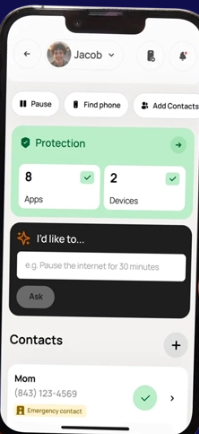
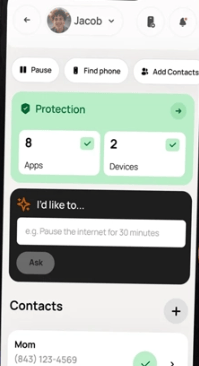
The Bark Phone is a smartphone built with integrated parental-control software that monitors activity, filters content, and sends alerts when potential risks are detected.
It uses AI-driven monitoring to analyze texts, emails, web activity, and many apps for issues such as cyberbullying, predators, or harmful content, notifying parents when something concerning appears.
Example Devices Designed for Kids
Bark Phone – Safest Phone for Kids & Teens
$192.00
Walmart - Seller
Gabb Phone 4 Pro Kid‑Safe Smartphone
$8.54
Gabb
Pinwheel Genesis Kids Phone
$119.00
Pinwheel
Troomi Kids Phone (Samsung A16)
$199.95
Troomi Wireless
These devices represent some of the most commonly recommended phones designed with parental oversight and safety in mind.
Benefits of Using a Bark Phone
1. Built-In Monitoring for Digital Safety
The Bark Phone scans messages, social media activity, and online behavior for risks, alerting parents when issues arise.
This can help families address problems early, including cyberbullying or unsafe online interactions.
2. Screen-Time Management and Content Controls
Parents can set limits on usage, block websites or apps, and manage how long the phone can be used each day.
These tools help children build healthier technology habits over time.
3. Location Tracking and Contact Management
Many Bark Phone plans include GPS tracking and tools to manage approved contacts, helping parents know where their child is and who they communicate with.
4. Gradual Access as Kids Mature
Parents can start with a restricted setup and add features over time, allowing children to earn more responsibility as they demonstrate readiness.
This “step-by-step” approach is often recommended by digital-safety experts.
5. Balanced Approach to Independence and Oversight
Unlike some minimal phones, Bark can allow internet browsing or social media—with monitoring—so kids learn to use technology responsibly rather than avoiding it entirely.
Other Phones for Kids with Parental Monitoring
If you’re researching options, several devices offer similar goals but with slightly different philosophies.
Gabb Phone
Gabb Phone 4 Pro Kid‑Safe Smartphone
Key benefits:
No open internet or social media apps, reducing exposure to online risks.
GPS tracking and basic communication tools.
Designed as a first phone focused on calling, texting, and productivity.
This option is often preferred for younger children who don’t yet need full smartphone features.
Pinwheel Phone
Pinwheel Genesis Kids Phone
Key benefits:
Parents choose which apps are allowed.
Designed to promote healthy digital habits and gradual technology use.
Customizable settings as children grow.
Pinwheel aims to combine flexibility with strong oversight.
Troomi Phone
Troomi Kids Phone (Samsung A16)
Key benefits:
Parental controls and app-approval systems.
Ability to allow more apps gradually as a child matures.
Smartphone experience with filtering and restrictions.
This device is often positioned as a middle ground between limited phones and full smartphones.
Downsides to Consider
While these phones offer many benefits, there are some trade-offs to be aware of:
Setup and customization can take time initially.
Monitoring tools don’t catch every type of activity or app behavior.
Kids may eventually outgrow restricted devices and want more independence.
Understanding these limitations helps parents choose the right device for their child’s age and maturity level.
How to Choose the Right Phone for Your Child
Parents often find it helpful to think about three factors:
Age and maturity level – Younger children may benefit from more restricted devices.
Communication needs – Some kids need only talk and text; others need apps or school tools.
Parental involvement – Monitoring tools work best when combined with regular conversations about online safety.
Many experts emphasize that technology alone isn’t a complete solution—guidance and communication remain essential.
Conclusion
Phones like the Bark Phone give families a way to introduce smartphones in a more controlled and intentional way. With features like activity monitoring, screen-time limits, and location tracking, these devices help reduce risk while still allowing children to stay connected and learn responsible technology use.
Options like Gabb, Pinwheel, and Troomi provide additional choices depending on how much flexibility or restriction a parent prefers.
Disclaimer
This article is for informational and educational purposes only and does not constitute professional, legal, or parenting advice. Features, pricing, and availability of devices may change. Always review the manufacturer’s website and consider your child’s needs before purchasing any device.
Sources
Bark official website – parental control and monitoring features
https://www.bark.us/Bark Phone overview and features
https://www.bark.us/bark-phone/Bark parental-control feature details
https://www.bark.us/learn/bark-phone-parental-controls/Bark review and monitoring capabilities
https://www.allaboutcookies.org/bark-reviewBark Phone experience and features
https://organizingmoms.com/bark-phone/Guide comparing Bark, Gabb, Pinwheel, and Troomi
https://smartsocial.com/post/first-phones-for-kidsGabb Wireless official site
https://gabb.com/Kid-friendly phone overview and comparisons
https://www.protectyoungeyes.com/blog-articles/best-phones-for-kids-ultimate-guideAdditional safety and monitoring details
https://www.waituntil8th.org/devices